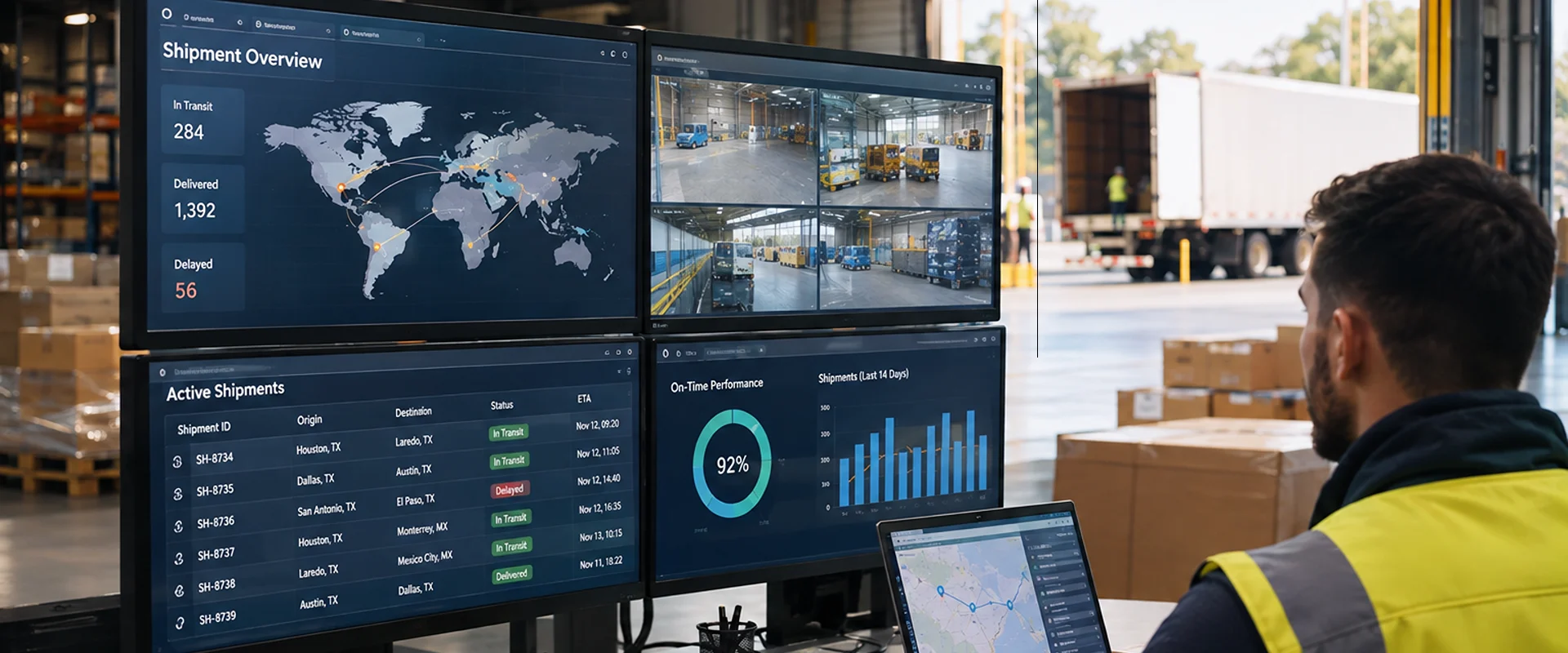
Logistics businesses depend on accurate shipment information, reliable fleet operations, and clear communication between dispatchers, drivers, warehouses, and customers. When these activities are managed through separate applications, spreadsheets, or manual updates, even a routine delivery change can take longer to resolve.
For businesses operating in Texas, these challenges can become more complicated when shipments move between distribution centers, ports, manufacturing facilities, and customers across different regions.
Texas has an extensive freight network connecting major commercial centers, international border crossings, and ports such as Houston and Laredo. The Texas Department of Transportation identifies freight movement and reliable supply chains as important parts of the state’s economy.
Businesses exploring custom logistics software development in Texas should start by examining how shipment information moves through their operations, where delays occur, and which processes need better coordination.
Common Logistics Challenges for Texas Businesses
A logistics company may use one application to manage customer orders, another to track vehicles, and spreadsheets to record delivery updates. Each system can work independently, but problems arise when employees need information from several sources to make one decision.
Common operational challenges include:
- Limited shipment visibility: Dispatchers may need to contact drivers or carriers to confirm delivery progress.
- Disconnected fleet information: Vehicle availability, maintenance records, and delivery assignments may be managed separately.
- Manual dispatch coordination: Route changes and delivery instructions may require repeated calls, messages, or spreadsheet updates.
- Inconsistent delivery records: Proof of delivery, shipment status, and customer information may not be updated at the same time.
- Time-consuming reporting: Managers may need to combine data from several systems to review delivery performance.
These issues can affect businesses of different sizes, from regional delivery providers to companies coordinating freight across multiple facilities.
The challenge is not always a lack of software. Often, businesses already have useful applications but need them to share information more effectively.
Key Benefits of Custom Logistics Software
Custom logistics software is designed around a company’s operational requirements, including the way shipments are assigned, tracked, delivered, and reported.
Rather than introducing a standard workflow that every department must follow, a custom application can support existing processes or improve specific areas where current tools fall short.
1. Improve Shipment Tracking and Delivery Visibility
Shipment tracking is most useful when teams can see more than a vehicle’s last reported location.
Dispatchers may also need to know whether an order has been collected, which driver is responsible, whether a delivery appointment has changed, and whether the customer has received the shipment.
A custom tracking application can bring these details into one interface by connecting relevant systems and available tracking data.
For example, when a driver confirms that a shipment has been collected, the system could update its status and make that information available to dispatchers and customer service teams.
If a delivery is delayed, employees could review the latest status before contacting the driver or updating the customer.
Depending on the available integrations, shipment tracking functionality may include:
- Pickup, transit, and delivery status updates.
- GPS-based vehicle location information.
- Delivery exceptions and delay notifications.
- Estimated arrival information.
- Proof-of-delivery records.
The accuracy of these features depends on the underlying data sources, connection reliability, and how frequently information is updated.
2. Make Fleet Management Easier to Coordinate
Fleet management involves more than tracking vehicles on a map. Logistics teams also need to consider vehicle availability, driver assignments, maintenance schedules, and the requirements of each delivery.
When this information is spread across separate tools, dispatchers may struggle to determine which vehicle is available for a new assignment.
For businesses exploring logistics software development in Texas, a custom fleet management application can bring this information together and help teams coordinate:
- Vehicle availability: Check which vehicles are available, assigned to deliveries, or temporarily out of service.
- Driver assignments: Review existing schedules and match drivers with suitable delivery assignments.
- Maintenance planning: Track upcoming maintenance and identify vehicles that should not be assigned to new deliveries.
- Fleet utilization: Review how vehicles are being used and identify gaps in capacity or scheduling.
- Telematics integration: Access available vehicle location and operational data from existing tracking platforms.
For example, if a truck becomes unavailable before a scheduled delivery, dispatchers could check alternative vehicles, review driver availability, and adjust the assignment without switching between several systems.
The software helps teams make informed decisions, but factors such as load requirements, driver availability, and safety rules still need to be considered.
3. Improve Dispatch and Route Coordination
Delivery plans often change after vehicles leave a facility. A customer may request a different delivery window, a shipment may not be ready for collection, or a driver may encounter an unexpected delay.
When dispatch instructions are managed through phone calls and messages, keeping everyone informed can become difficult.
A connected dispatch application could allow teams to review assignments, update delivery instructions, and share relevant changes with drivers.
Route planning features may also use delivery locations, appointment windows, vehicle capacity, and other available information to help dispatchers evaluate options.
For companies considering logistics software development in Texas, this can be useful when coordinating deliveries across large service areas or between regional distribution facilities.
This gives dispatchers the information they need to adjust routes and delivery assignments when plans change.
4. Reduce Manual Updates Between Departments
A shipment often involves several teams before it reaches the customer.
Customer service records the order. Warehouse staff prepare the goods. Dispatch assigns the delivery. Drivers report progress, and administrative teams confirm completion.
If these departments use separate systems, employees may enter the same information more than once.
A custom logistics application can help connect these steps.
For example, once warehouse staff mark an order as ready for collection, that status could become available to dispatch. After a driver confirms delivery, the completed shipment record could be passed to the order management system.
This reduces the need for employees to manually copy routine updates between applications.
Automation still needs appropriate controls. Missing shipment details, disputed deliveries, and unusual exceptions may require employees to review the information before the workflow continues.
5. Improve Customer Communication and Reporting
Customers often contact logistics providers because they need an update that isn’t available through their existing communication channels.
A connected shipment management system could allow customer service teams to access delivery progress, recorded exceptions, and proof-of-delivery information without requesting separate updates from dispatch.
Some businesses may also benefit from a customer portal where authorized users can check shipment status directly.
The same operational information can support internal reporting.
For example, managers could review planned versus completed deliveries, recorded delays, vehicle utilization, and recurring delivery exceptions.
If an order arrives late, connected records may help determine whether the issue began during warehouse preparation, dispatch, or transportation.
This makes reporting more useful for identifying recurring problems rather than simply counting completed shipments.

Why Texas Logistics Operations Need Connected Information
Texas logistics operations cover several types of freight movement, from regional distribution to international trade.
Port Houston connects businesses with maritime shipping, while Laredo is a major gateway for trade between the United States and Mexico. These are part of a broader transportation network that includes highways, rail connections, and inland distribution facilities.
For logistics providers working across these environments, shipment information may pass between warehouses, carriers, freight forwarders, and customers.
Consider a distributor receiving imported components through a Texas port and arranging delivery to manufacturing customers farther inland.
The warehouse may need to confirm when goods are available. Dispatch must then assign a vehicle, coordinate collection, and schedule delivery. Customer service needs accurate information to respond to questions about the shipment.
If these updates remain in separate systems, employees may spend time confirming information that another department has already recorded.
Businesses exploring custom logistics software development in Texas can address these coordination challenges through connected applications, shipment tracking tools, and workflows designed around their existing operations.
The right approach depends on the company’s existing technology, shipment volume, and the parties involved in each delivery.
Connecting Logistics Software With Existing Systems
Developing a custom logistics application does not necessarily mean replacing an existing transportation management system (TMS), warehouse management system (WMS), or fleet tracking platform.
A company may already have software that handles individual tasks effectively but lacks the connections needed to coordinate them.
Possible improvements include:
- TMS integration: Connect shipment assignments and transportation records with other operational applications.
- WMS integration: Share order readiness, collection details, and warehouse status updates.
- Fleet and GPS integration: Make available vehicle location and assignment information accessible to dispatch.
- Customer system integration: Connect shipment updates with order records or customer portals.
- Reporting integration: Combine relevant operational data for performance analysis.
Before development begins, several technical questions need to be answered.
- API availability: Do existing applications provide supported methods for accessing or exchanging information?
- Data compatibility: Do systems use consistent shipment identifiers, status definitions, and data formats?
- Synchronization: Which updates need to be shared immediately, and which can be transferred at scheduled intervals?
- Error handling: How will employees identify failed transfers, duplicate records, or outdated shipment information?
For example, if a delivery confirmation fails to reach the order management system, the integration should make that failure visible so employees can investigate it rather than assume the delivery record was updated.
SiGa Systems provides custom software development services for businesses that need applications, workflow improvements, and integrations built around their requirements.
A Practical Example: Coordinating Shipments Across Texas
Consider a regional logistics provider moving goods from a distribution facility in the Dallas-Fort Worth area to customers in Houston, Austin, and San Antonio.
The company manages orders in one system, assigns drivers through spreadsheets, and receives delivery updates through calls or messages.
When a warehouse reports that a shipment will be ready later than expected, dispatch needs to revise the collection time. The change may also affect the driver’s next assignment and the customer’s expected delivery window.
A custom application connected to existing order, warehouse, and fleet systems could make this process easier to manage.
| Current Process | With a Connected Logistics Application |
| Warehouse staff report shipment readiness separately. | Updated readiness information becomes available to dispatch. |
| Dispatchers manually review vehicle assignments. | Dispatchers can check current assignments and available fleet information. |
| Drivers receive changes through individual messages. | Revised instructions can be shared through a connected driver application. |
| Customer service requests shipment updates from dispatch. | Authorized staff can review available shipment status information. |
| Delivery records are entered into another system. | Confirmed delivery information can be transferred through an integration. |
In this scenario, the warehouse update would become the starting point for the next decisions. Dispatch could review the revised pickup time, check whether the assigned vehicle remains suitable, and communicate the change to the driver.
Once the delivery is completed, the confirmation could update the shipment record and become available for customer service and reporting.
The benefit comes from making relevant information available to the teams that need it, without requiring each department to repeat the same updates.
This is an illustrative scenario, not a documented SiGa Systems client project. The functionality described would depend on the company’s existing systems, available integrations, and operational requirements.
When Is Custom Logistics Software Worth Considering?
Not every logistics business needs a custom platform. Standard logistics software may already provide the required shipment tracking, dispatch, and fleet management features.
Custom development becomes worth evaluating when important workflows cannot be supported effectively through existing tools or standard configurations.
Before starting a project, consider these questions:
- Where do employees repeat the same work? Identify frequent manual updates, duplicate data entry, and information requests between departments.
- Which systems need to communicate? Review how orders, warehouse records, vehicle assignments, and delivery confirmations are currently shared.
- What information is missing when decisions are made? Determine whether dispatchers, drivers, or customer service teams lack timely access to relevant records.
- How will success be measured? Consider time spent updating shipment records, dispatch response times, reporting effort, or the frequency of missing delivery information.
For businesses evaluating logistics software development in Texas, a focused integration or operational application may be a better first investment than replacing an entire technology platform.
Frequently Asked Questions About Custom Logistics Software
What is custom logistics software?
Custom logistics software is developed around a business’s specific transportation and delivery processes. It may support shipment tracking, dispatch management, fleet coordination, reporting, or integration with existing systems.
Can custom logistics software integrate with an existing TMS or WMS?
Yes, when the existing systems provide suitable integration methods. Compatibility, available APIs, data formats, and security requirements need to be assessed before development.
How can custom software improve fleet management?
It can help teams access vehicle availability, assignments, maintenance information, and available tracking data through connected applications. The features depend on the company’s operational needs and existing technology.
Is custom logistics software suitable for smaller logistics businesses?
It can be, particularly when recurring manual work or disconnected applications create operational problems. However, businesses should first assess whether standard software or a smaller integration would meet their needs.
Discuss Your Logistics Software Project
If your logistics team spends too much time checking shipment statuses, coordinating fleet assignments, or transferring information between systems, it may be worth reviewing how your current applications work together.
SiGa Systems can help you assess your existing technology, identify development opportunities, and plan software around your operational requirements.