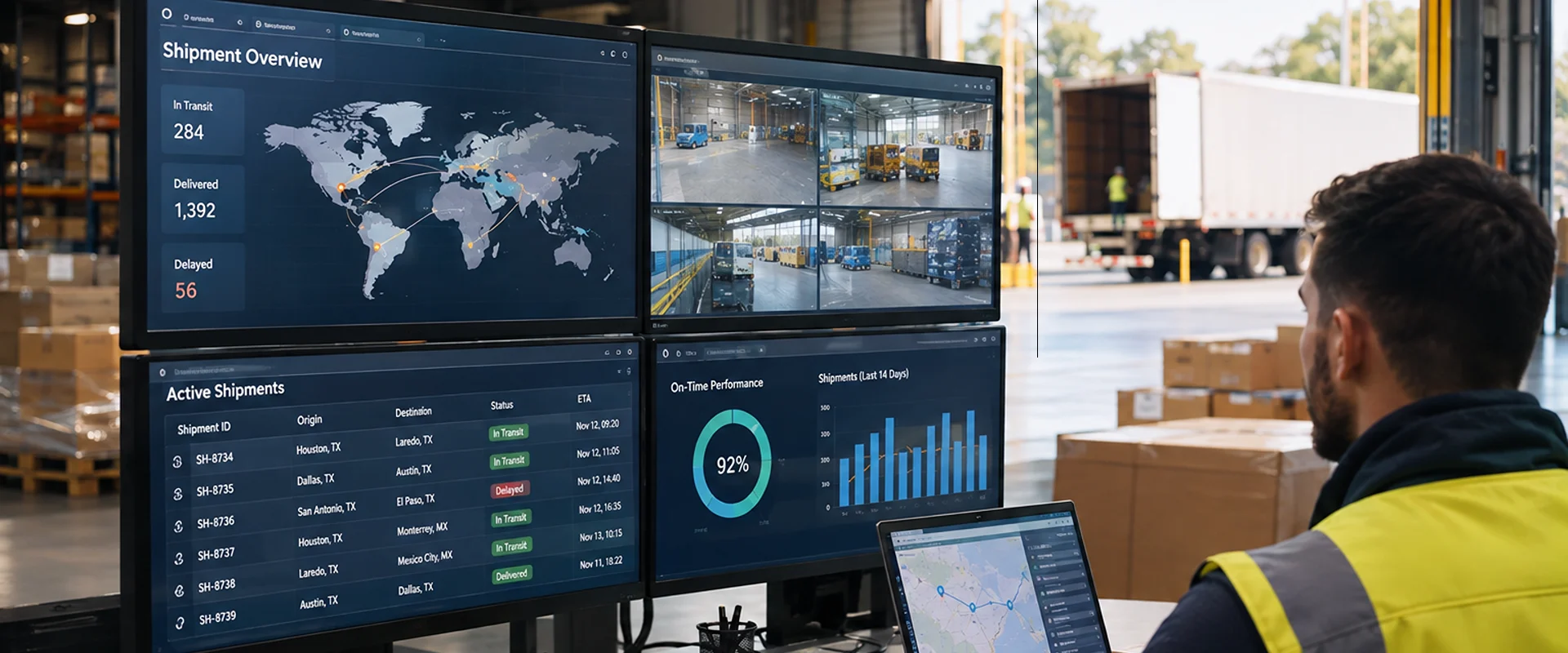
When a customer places an order, several departments are involved before production can begin. Materials need to be checked, work orders created, production schedules reviewed, and employees informed of their responsibilities. Once production is complete, inspection results and inventory records also need to be updated.
Manufacturing automation can involve robotics, programmable logic controllers (PLCs), and machine-level control systems, as well as software that automates operational workflows. This article focuses on the software side of manufacturing automation, including ERP integrations, production workflows, inventory updates, and internal approvals.
For manufacturers in Illinois, the opportunities for automation vary according to their industry. A machinery manufacturer may need better coordination between production and purchasing, while a food processing business may prioritize batch tracking and quality control.
In both cases, understanding how information moves through the business is an important part of identifying where automation can improve operations.
The Hidden Cost of Manual Manufacturing Workflows
A manufacturer may already use an enterprise resource planning (ERP) system to manage customer orders, purchasing, and inventory. However, production employees may still use spreadsheets to record completed work, submit material requests by email, or report inspection results separately.
Although each task may take only a few minutes, the time spent entering, checking, and transferring information adds up across multiple work orders.
Manual workflows can also affect:
- Production schedules when material shortages are identified late.
- Purchasing decisions when inventory records are not up to date.
- Order fulfillment when completed production stages are not communicated.
- Quality documentation when inspection records are stored separately.
- Management reporting when employees collect information from multiple applications.
Businesses exploring manufacturing automation software in Illinois should examine these everyday processes before deciding which applications or workflows need improvement.
How Automation Works Across the Manufacturing Process
The value of manufacturing automation becomes easier to understand when looking at how a customer order moves through production. Each stage generates information that another department needs to complete its work.
From Customer Orders to Production
If order management and production planning are handled separately, employees may need to transfer product details, quantities, and delivery requirements manually.
An automated workflow could retrieve approved order information from the ERP system and create a production request containing the relevant details. The planning team could then review material availability, production capacity, and delivery deadlines before releasing the work order.
If the customer changes the order quantity before production begins, the application could flag the change for review and notify the planner.
This reduces the need to recreate production records while allowing employees to assess whether changes can be accommodated.
From Material Consumption to Purchasing
Production and purchasing teams depend on accurate information about material availability. A delay in recording material consumption can affect several upcoming work orders.
Consider a fabricated metal manufacturer that uses more sheet metal than originally planned during a production run.
Without a connected workflow, the additional material usage might be recorded on the production floor but remain unaccounted for in the ERP system until the end of the shift.
With an automated workflow:
- The employee records additional material consumption against the work order.
- The corresponding inventory record is updated through the ERP integration.
- The application checks whether remaining stock can support upcoming production requirements.
- If a shortage is identified, a purchase request is generated for review.
- Purchasing confirms supplier availability and updates the expected delivery date.
Production planners can then decide whether upcoming work orders need to be rescheduled.
The purchasing decision remains with the responsible employee, but the information needed to make that decision is already available.
From Quality Inspection to Order Fulfillment
Completing a production order does not always mean that the goods are ready to leave the facility. Depending on the product, additional inspections, documentation, or approvals may be required.
A connected quality control workflow can link inspection records to the relevant work order, batch, or product serial number.
When an authorized employee approves the inspection, the system could update the production status and notify the shipping department that the goods are ready for the next stage.
If an inspection fails, the application could place the affected order on hold within the connected system and assign the issue to the quality team.
This is particularly useful when production and shipping departments work from different applications. Shipping staff can check the approval status without relying on separate emails or verbal confirmation.
What Manufacturing Automation Looks Like Across Illinois Industries
Illinois has a diverse manufacturing sector, including machinery production, fabricated metals, food processing, chemicals, and transportation equipment.
Although manufacturers across these industries may use similar ERP systems, their production workflows and documentation requirements can differ considerably.
| Manufacturing Industry | Potential Automation Applications |
| Machinery manufacturing | Work order creation, component availability checks, and assembly progress updates. |
| Fabricated metal manufacturing | Material consumption tracking, job approvals, and production completion records. |
| Food processing | Ingredient inventory updates, batch traceability, and quality inspection workflows. |
| Chemical manufacturing | Batch documentation, material tracking, and internal approval processes. |
| Transportation equipment manufacturing | Component traceability, inspection records, and production scheduling updates. |
A food manufacturer in the Chicago area, for instance, may need software that connects ingredient records with finished product batches. A machinery manufacturer in Rockford may instead need better visibility into component availability across several assembly orders.
Heavy equipment manufacturers in Peoria may benefit from automating component availability checks and assembly progress updates. Agricultural processing businesses in Decatur, on the other hand, may prioritize connecting raw material records, batch documentation, and quality control workflows.
For businesses exploring software development in Illinois, these operational differences should shape the software requirements from the beginning.
An application developed for an assembly-based production facility may require considerably different functionality from one designed for batch manufacturing.
The Role of ERP Systems in Manufacturing Automation
An ERP system often holds the information manufacturers rely on for purchasing, inventory, order management, and finance. However, as manufacturers move toward more connected production environments, some production activities may require functionality beyond their existing ERP systems.
Through custom manufacturing software development, businesses can address these gaps by connecting new applications to their existing ERP systems rather than duplicating functionality.
For instance, employees could use an application designed specifically for recording production activities on the shop floor, while the ERP continues to manage inventory transactions and purchasing records.
Before developing this type of integration, several technical requirements need to be established:
- API availability: Determine whether the ERP provides supported methods for accessing and updating the required records.
- Data ownership: Establish which application maintains the primary record for orders, inventory, and production information.
- Data compatibility: Ensure that product codes, material identifiers, units of measurement, and work order references are consistent.
- Synchronization: Define which updates require immediate processing and which can be transferred at scheduled intervals.
- Error handling: Identify failed transactions and prevent duplicate updates when information is transferred again.
- Access permissions: Control which users and applications can modify records or approve transactions.
For example, if a network interruption prevents a material consumption update from reaching the ERP, the integration needs to record the failed transaction and allow it to be processed again without deducting the same quantity twice.
These details affect how reliably automation works once it becomes part of daily production.
Through its custom software development services, SiGa Systems helps businesses extend existing applications and develop integrations around their operational requirements.
Not sure whether your existing ERP can support this kind of integration?
Which Manufacturing Processes Should Stay Under Human Control?
Routine tasks that follow consistent rules are often suitable for automation. However, manufacturing also involves decisions that require technical knowledge, experience, and an understanding of production conditions.
The distinction between automating a task and automating a decision is important.
| Processes Suitable for Automation | Processes Requiring Human Oversight |
| Generating low-stock notifications | Approving significant purchasing commitments |
| Updating work order statuses | Authorizing major production schedule changes |
| Assigning inspection requests | Assessing failed quality inspections |
| Sending maintenance reminders | Determining whether equipment is safe to operate |
| Preparing operational reports | Investigating unusual production results |
A system may automatically identify a material shortage and prepare a purchase request, but a purchasing manager may still need to evaluate supplier options, costs, and delivery commitments.
Defining these responsibilities during development helps ensure that automated workflows support existing operational controls.
Measuring the Impact of Manufacturing Automation
The results of an automation project should be measured against the process it was designed to improve.
If the original problem was delayed material requests, measuring overall production output alone may not reveal whether the new software has addressed that issue.
Manufacturers can establish a baseline before implementation using metrics such as:
- Work order preparation time: Time spent creating and updating production records.
- Material request processing time: Time between identifying a shortage and completing the required approval.
- Duplicate data entry: The number of times employees manually enter the same information.
- Inventory discrepancies: Differences between recorded and physical stock quantities.
- Reporting preparation time: Hours spent collecting and organizing operational data.
For manufacturers investing in manufacturing automation software in Illinois, these measurements can also help determine which additional workflows would benefit from development.
Planning Your First Manufacturing Automation Project
A useful first project may involve a single department or a workflow that connects two existing applications.
Start by reviewing the current process with the employees who perform it. Document where information comes from, which tasks are repeated, how exceptions are handled, and who approves changes.
This review can reveal whether the business needs a new application, an ERP integration, or additional functionality within an existing system. Recent manufacturing software trends also highlight the growing importance of operational visibility and connected data.
When planning manufacturing software development in Illinois, businesses should also consider how the new functionality will be introduced without unnecessarily disrupting ongoing production.
Testing the workflow with a limited number of work orders before expanding its use can help identify integration issues, missing requirements, and employee training needs.
Frequently Asked Questions About Manufacturing Automation Software
What is manufacturing automation software?
Manufacturing automation software helps businesses automate routine operational tasks, including work order creation, inventory updates, purchasing requests, quality documentation, and reporting.
Can manufacturing automation software integrate with an existing ERP system?
Yes, provided the ERP supports suitable integration methods. Custom applications can exchange production, inventory, and purchasing information with existing ERP systems without requiring a complete replacement.
Does manufacturing automation software require AI?
No. Many manufacturing workflows can be automated using predefined rules, system integrations, and approval logic. AI may be useful for more complex applications, such as demand forecasting or identifying patterns in production data.
Can manufacturers automate one process at a time?
Yes. Manufacturers can begin with a specific workflow, such as material requests or production reporting, and introduce additional automation as their operational requirements evolve.
Discuss Your Manufacturing Automation Project
Whether you need to connect your ERP with production applications, reduce manual inventory updates, or improve approval workflows, the right solution depends on how your manufacturing operations are organized.
SiGa Systems can help you evaluate your existing technology and develop automation solutions around your production processes and business requirements.